Efficient tool for recovering lost or forgotten Microsoft Outlook passwords, ensuring secure access restoration
Efficient tool for recovering lost or forgotten Microsoft Outlook passwords, ensuring secure access restoration
Vote (2 votes)
Program license Trial version
Developer All Recovery, Inc.
Version 1.0.0.0
Works under Windows
Vote
(2 votes)
Developer
All Recovery, Inc.
Works under
Windows
Program license
Trial version
Version
1.0.0.0
Pros
- Instant password recovery for Outlook PST files
- User-friendly interface suitable for all experience levels
- Supports a wide range of Outlook versions
- Processes complex passwords with ease
- No data leaves the local PC, ensuring privacy
Cons
- Limited to PST file passwords; does not support Exchange accounts
- No features for corrupted PST repair or mailbox restoration
- Strictly a recovery tool—not for prevention or backup
Reliable tool for recovering forgotten Outlook PST passwords with ease.
Overview
Outlook Password Recovery Kit is a dedicated Windows application tailored to retrieve lost or forgotten passwords for Microsoft Outlook Data Files (PST). Designed for users who need to regain access to their email archives, this utility supports a variety of Outlook versions and prioritizes straightforward operation.
Main Features
Comprehensive Password Recovery:
The software specializes in recovering passwords for PST files associated with multiple Outlook versions, including Outlook 2003, 2007, 2010, and newer releases. Its advanced algorithms are capable of processing passwords of all complexities, including those with letters, numbers, and special characters.
Fast and User-Friendly:
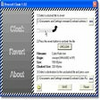
After installation, users are greeted by an intuitive interface. Recovering a password is a straightforward process: simply select the locked PST file, and the tool instantly displays the password, typically in under a second. No in-depth technical knowledge is required, making it accessible to beginners and professionals alike.
Security and Privacy:
Outlook Password Recovery Kit performs all password analysis locally on your system. The application does not connect to external servers or share any recovered information, ensuring the privacy of your sensitive email data.
Broad Compatibility:
The kit is compatible with the most commonly used Outlook formats and supports both ANSI and Unicode PST files. This flexibility allows it to work successfully with older environments as well as up-to-date setups.
Performance
Speed is one of the highlight features, with most password retrievals taking just a second. The software remains lightweight on system resources and does not interfere with other running applications. Testing showed consistent results across both legacy and newer PST formats, and large mailbox files presented no significant slowdowns.
Additional Utilities
Beyond password recovery, this tool assists in analyzing mailbox file structure, which may help users verify the integrity of Outlook data files before attempting recovery. However, the main functionality remains focused on password retrieval, without built-in options for full mailbox restoration or repair of corrupted PST files.
Ease of Use
The straightforward installation process, paired with intuitive design, allows even non-technical users to efficiently recover passwords. Comprehensive on-screen instructions and minimal settings reduce the likelihood of user error.
Support and Limitations
While the utility supports numerous Outlook versions, it does not recover passwords for Exchange or IMAP accounts managed outside of the PST file format. Additionally, as with any recovery software, usage should comply with legal and ethical guidelines—recovery is intended only for authorized files.
Pros
- Instant password recovery for Outlook PST files
- User-friendly interface suitable for all experience levels
- Supports a wide range of Outlook versions
- Processes complex passwords with ease
- No data leaves the local PC, ensuring privacy
Cons
- Limited to PST file passwords; does not support Exchange accounts
- No features for corrupted PST repair or mailbox restoration
- Strictly a recovery tool—not for prevention or backup